
Your chatbot already answers from your knowledge base. That was always the point.
But sometimes the right next step is not another paragraph of docs. Someone wants a status page checked. Or a support ticket opened. Or a lead sent to the CRM.
So I added chat actions.
What they are
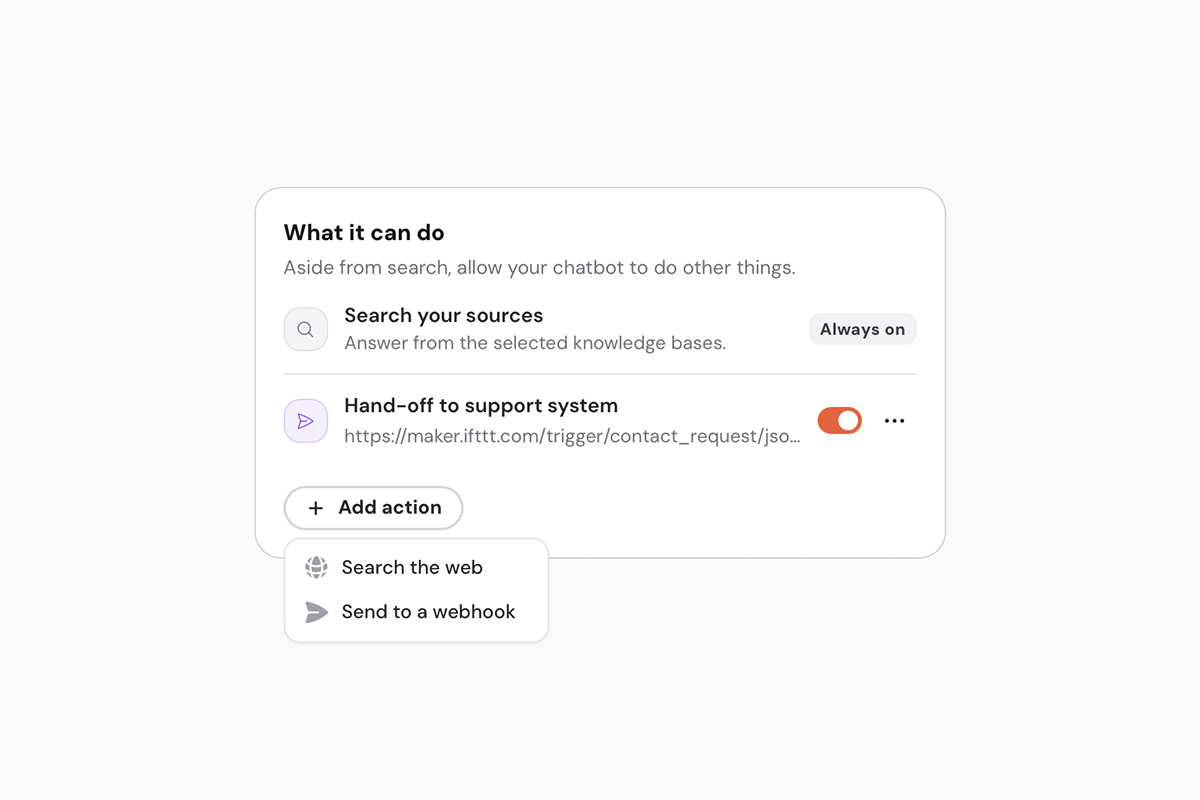
On a chat widget, under Reply → What it can do, you can add a few optional actions:
- Search the web: look up live pages on websites you allow. Status pages, changelogs, or docs you have not added yet.
- Webhook: collect a few fields and send them to a tool you already use. Tickets, CRM, n8n, Make, or a small script of your own.
Knowledge search stays on. Actions are the extra step: look something up live, or hand the conversation to a system you already run.
You can add up to five actions per chatbot. One webhook can open a ticket. Another can send a demo request. Same chatbot, two jobs.
Why you would use it
A chatbot that only recites docs is useful until the visitor wants something to happen. Then they bounce to a form, or they give up.
Chat actions keep that moment in the bubble. The visitor still talks like a person. The chatbot can check if something is down, or pass a name and email to the place you already handle that.
There is no agent console. No tool menu. They ask, it acts (if you enabled that action), then they get a normal answer.
Built with care
I did not want the model browsing the open web, or a secret pasted into a prompt.
Web search only hits hosts you allow. A webhook only goes to the URL you set, and it is signed, so you can trust the request. If the visitor has not given a real name or email, nothing is sent. Secrets stay off the public widget.
That is the part I cared about. Useful on a customer site. Not a feature that makes you nervous.
Try it
Open a chat widget → Reply → What it can do → Add action.
Docs if you want the full webhook details: